



How To Redeem PTP Bucks
Ensure that you have a user profile created in the Pillar To Post Merchandise Emporium as this will automatically establish an account where ‘The Branding Company (TBC) Voucher’ purchases from the Pillar To Post Bucks Program will be deposited.
To set up an account, please visit User Profile Creation.
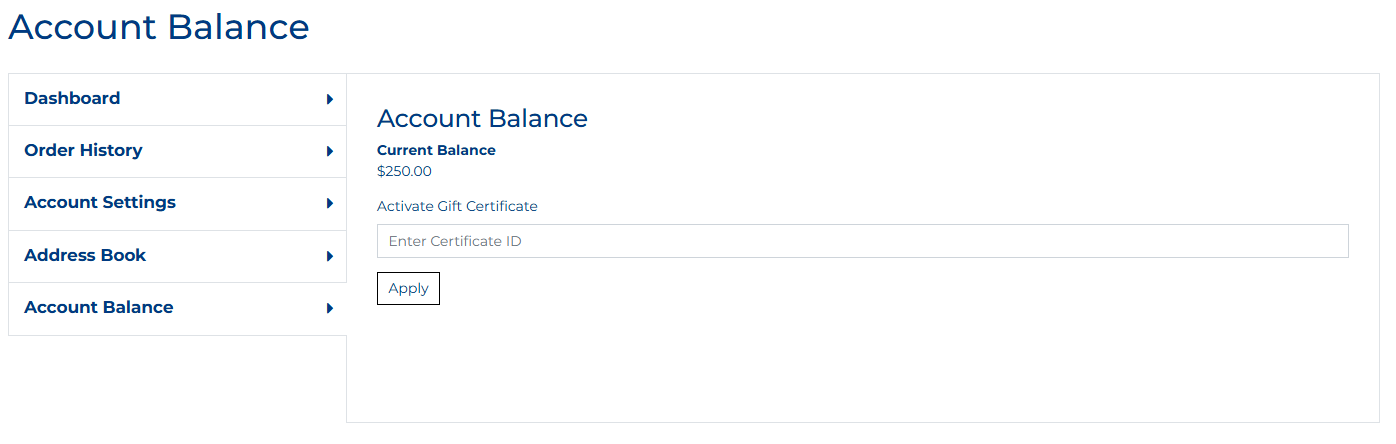
'TBC Voucher' purchases from the SHOPPING CART will appear as a balance in your profile under ‘Account Balance’.
When you successfully complete a transaction on the Pillar To Post Bucks website for a ‘TBC Voucher’, we will receive an order confirmation email directly from the Pillar To Post Bucks website.
Please allow up to one business day for the value of the ‘TBC Voucher’ to be deposited into your ‘Account Balance’ under your user profile.
During the checkout process, you can apply your ‘Account Balance’ as payment ~ it’s that easy!
How do I determine the correct Voucher dollar amount to purchase my items?
1. To determine the value of the ‘The Branding Company (TBC) Voucher’ to be purchased using your PTPBucks from the SHOPPING CART.
(a) Simply select and add the items from the Emporium as normal and and proceed to check out.
(b) Here you will find the dollar value required which will include shipping and taxes.

2. Then go to the SHOPPING CART to purchase the ' The Branding Company (TBC) Voucher' to use your PTPBucks for the correct dollar amount (down to the penny).
* Items will remain in your Emporium checkout while you do that.
3. Once that value is automatically applied and entered into your 'Account Balance' (allowing up to one business day), you can complete your order.
Happy Shopping!